
News

The New Rules Of Journalist Outreach
News

The New Rules Of Journalist Outreach, Based On Millions Of Emails

The New Rules Of Journalist Outreach, Based On Millions Of Emails Introduction: The New Rules Of Journalist Outreach Are Written In The Data Digital PR and link building still depend on one fragile moment: a journalist opening your email and deciding whether to read it. For years, advice on that moment came from habit and gut feeling. Now there is real data behind it. Vince Nero, Director of Content Marketing at BuzzStream, recently published a Search Engine Journal analysis built on millions of outreach emails, including 14.3 million emails analyzed by sender domain age, 39 million analyzed by subject line, 628 AI-generated email summaries, and a 1,588-domain email authentication study. The result is a clear set of new rules of journalist outreach that every PR professional, SEO, and content marketer should know. At digitalmachao.com, where we cover SEO, digital PR, and search news, this research stood out because it replaces folklore with numbers. This article walks through the new rules of journalist outreach, what the data shows, and how to turn it into a better pitching process. Rule One: Relevance Beats Everything, Because Journalists Are Overwhelmed Key facts: There are roughly 2 to 3 PR professionals for every U.S. journalist, though estimates vary: the Census suggests about 1.8, while the Bureau of Labor Statistics suggests about 7.2. In the U.K., the figure is about 1.5 per journalist. According to Muck Rack’s State of Journalism 2026 report, 47% of journalists say they seldom or never receive pitches that match their coverage. The article recommends targeting journalists by reviewing their last 10 to 20 articles, not just their bio or job title. Why This Matters This is the foundation of the new rules of journalist outreach. When nearly half of journalists say pitches rarely fit what they cover, an on-topic pitch stands out almost automatically. Relevance also protects your sender reputation, makes subject lines easier to write, and produces clearer pitches. The core conclusion of the research is that every other tactic works better once you have picked the right journalist. Rule Two: Domain Age And Authentication Shape Whether Emails Are Even Opened Key facts: Domains aged 5 to 6 years averaged a 34.9% open rate, compared with 21.6% for domains aged 1 to 2 years. New domains averaged about 25% opens for both experienced and new senders, which suggests domain age matters more than sender skill in the early period. Young domains with full authentication still averaged 17.9% opens. Fully authenticated domains using SPF, DKIM, and DMARC averaged 30.1% opens, versus 7.8% for unauthenticated domains, roughly four times better. Google, Yahoo (2024), and Microsoft (2025) introduced sender requirements, and failing them can get senders blocked. Why This Matters Among the new rules of journalist outreach, this one is the least glamorous and possibly the most important. A brilliant pitch cannot work if it never reaches the inbox. Domain age cannot be shortcut, so the advice is to build it gradually and keep sending practices clean. Authentication, however, is fast: SPF, DKIM, and DMARC can usually be set up in DNS by a developer in under an hour. For any team doing outreach at scale, that is one of the cheapest improvements available. Rule Three: Subject Lines Should State Specifics, Not Tease Key facts: Subject lines that stated a finding reached a 43.1% open rate and a 1.37% reply rate, while lines that teased a finding reached 39.8% opens and 0.88% replies. Specific wording achieved 43% opens and a 1.40% reply rate. Mixed wording achieved 37.5% opens and 1.55% replies. Vague wording achieved 34.6% opens and 1.17% replies. Putting the key statistic in the first one to three words produced 46% opens and a 1.53% reply rate, compared with 38.9% for middle placement and 38.1% for late placement. Suggested length is around 60 characters on desktop and 42 on mobile, though limits vary by platform. Why This Matters The new rules of journalist outreach reward clarity over curiosity games. Teasing a finding may feel clever, but stating it performed better on both opens and replies. The practical method is to write the main takeaway as a full sentence first, then compress it into a subject line that leads with the key number. One detail worth noting from the data: mixed wording had the highest reply rate even though specific wording had the highest opens, so opens are not the only measure of a good subject line. Rule Four: Write For The AI Summary Before The Human Reader Key facts: The study analyzed 628 AI email summaries. The share of summary content drawn from the first half of the email was 87.1% for Google, 82.5% for Apple, and 65.4% for Microsoft. Bulleted text appeared in summaries 92% of the time for Microsoft, 65% for Google, and 64% for Apple. Personalized introductions appeared in summaries 61% of the time for Microsoft, 11% for Google, and 0% for Apple. Summary length varied: roughly 30 words for Google, 50 for Apple, and 150 for Microsoft. Apple and Microsoft summaries misrepresented the original email in about one in three cases, mainly around data and expert quotes. Why This Matters This may be the most forward-looking of the new rules of journalist outreach. Many journalists now see an AI-generated summary of your email before, or instead of, the email itself. Because those summaries draw heavily from the top of the message, the key information has to go there. Personalized openers rarely survive summarization, so generic flattery can simply disappear, which supports the advice to skip generic personalized openers and focus on relevance. Bullets are more likely to be carried into summaries, so use them to explain the why and how behind your takeaway without repeating it. Rule Five: Check The Coverage, Because AI Summaries Can Get It Wrong Key facts: Because Apple and Microsoft summaries misrepresented emails in about one in three cases, errors can enter a journalist’s understanding of your pitch, particularly around data and expert quotes. The article recommends checking published coverage for accuracy, since

New York Times Puts Free Content First
News

Why The New York Times Puts Free Content First

Why The New York Times Puts Free Content First Introduction: The New York Times Puts Free Content First, And That’s Not A Contradiction The New York Times is one of the most successful subscription publishers in the world. So it can look odd that the New York Times puts free content first on its homepage, labels it clearly as free, and treats it as a core part of its audience strategy. If readers are supposed to pay, why give anything away? According to Harry Clarkson-Bennett, SEO Director at The Telegraph, writing for Search Engine Journal, the answer is that free content is not lost revenue. It is an introduction. In his view, the New York Times puts free content first because reach comes before revenue, and that lesson applies to almost every paywalled publisher fighting for visibility in search. At digitalmachao.com, where we cover SEO, publisher strategy, and AI search developments, this idea stood out because it cuts against a common instinct: lock everything down and hope people subscribe. This article explains why the New York Times puts free content first, what the argument gets right, where it is still opinion rather than proven fact, and what publishers and SEOs can do with it. The Core Argument: Free Content Is A Funnel, Not A Giveaway Key facts: The argument comes from a Search Engine Journal piece published on October 16, 2026, originally shared in the author’s Leadership in SEO newsletter. It observes that the New York Times features free articles in prominent homepage positions and tells readers they are free. The author argues that paywalled publishers should do the same to attract new audiences, build future subscribers, and compete in Search against non-paywalled rivals. He also notes that hard paywalls rarely work for most brands, so free content should be a deliberate audience acquisition strategy, not an accident. Why This Matters The New York Times puts free content first because a subscription is rarely a first-visit decision. People often need several touchpoints before they register or subscribe. If every article sits behind a wall, a new reader has no way to meet the brand, judge its quality, or build a habit. Free content gives that first meeting a place to happen, and every later step in the funnel depends on it. Reason One: Free Content Maximizes Reach And Search Competitiveness Key facts: Free articles let a publisher spread coverage of important, competitive stories widely, rather than limiting them to existing subscribers. They also help paywalled sites compete in Search with rivals whose content is open to everyone. The author suggests paywalls may lower engagement signals such as bounce rate and time on page, which could make ranking harder. He is explicit that this is his belief, not a confirmed fact. Why This Matters This is the part of the argument to treat with the most care. Google has not confirmed that paywalls reduce rankings through engagement signals, and the author does not claim it has. What is easier to defend is the simpler point: a story that anyone can read has more chances to be clicked, shared, linked, and cited than one most visitors cannot open. When the New York Times puts free content first on competitive stories, it keeps itself in the contest for attention instead of conceding it to open-access competitors. Reason Two: Labeling Free Content Encourages Clicks Key facts: Readers may assume an article is paywalled even when it is free, so publishers need to say so explicitly. Live blogs are a clear example. Many subscription publishers make them free because they attract search traffic, but few label them as free. The author calls labeling a cheap experiment that is worth running. Why This Matters This may be the most practical lesson in the whole argument. Years of paywall encounters have trained readers to expect a wall on many publisher sites. If a free article looks like every other article, some people will skip it. A visible free label removes that doubt before the click. The New York Times puts free content first and makes the label obvious, which turns an invisible advantage into a visible one. Reason Three: Reach Today, Subscribers Tomorrow Key facts: Free content works as an introduction to potential subscribers. Because people usually need multiple touchpoints before they register or subscribe, early free visits feed later conversions. The author recommends measuring signals that predict subscriptions, such as returning visits or session duration, rather than judging success by traffic alone. Why This Matters Judging free content by immediate subscription revenue misses the point. A reader who arrives from search, enjoys a free article, comes back twice, and then subscribes was acquired by that first free visit, even though no payment happened on day one. Publishers who measure only same-session conversions will undervalue free content and may cut the very thing feeding their funnel. The Wider Context: Even The New York Times Is Feeling Search Pressure The reason this conversation is urgent is that search traffic is under pressure, even for the biggest names. Key facts: In its second quarter of 2026, the Times added 280,000 digital-only subscribers, down from 310,000 in the first quarter, according to reporting from Nieman Lab. It now has 13.3 million subscribers in total, with subscription revenue of $538 million in the quarter. CEO Meredith Kopit Levien partly attributed the slower growth to declining search traffic, saying the company is “not immune” to the changing information ecosystem shaped by a few large technology companies. The Times is also investing in video, including a Watch tab and a Shows tab in its app, and says reporters explaining their work on camera is “inherently humanizing and trust building.” Why This Matters This context shows why the New York Times puts free content first even with 13.3 million subscribers. If a publisher of that size still needs reach to keep subscriber growth moving, smaller paywalled publishers have even less reason to assume subscribers will find them on their own. Declining search referrals

Google Discover To Undergo Dramatic Changes
News

Google Discover To Undergo Dramatic Changes

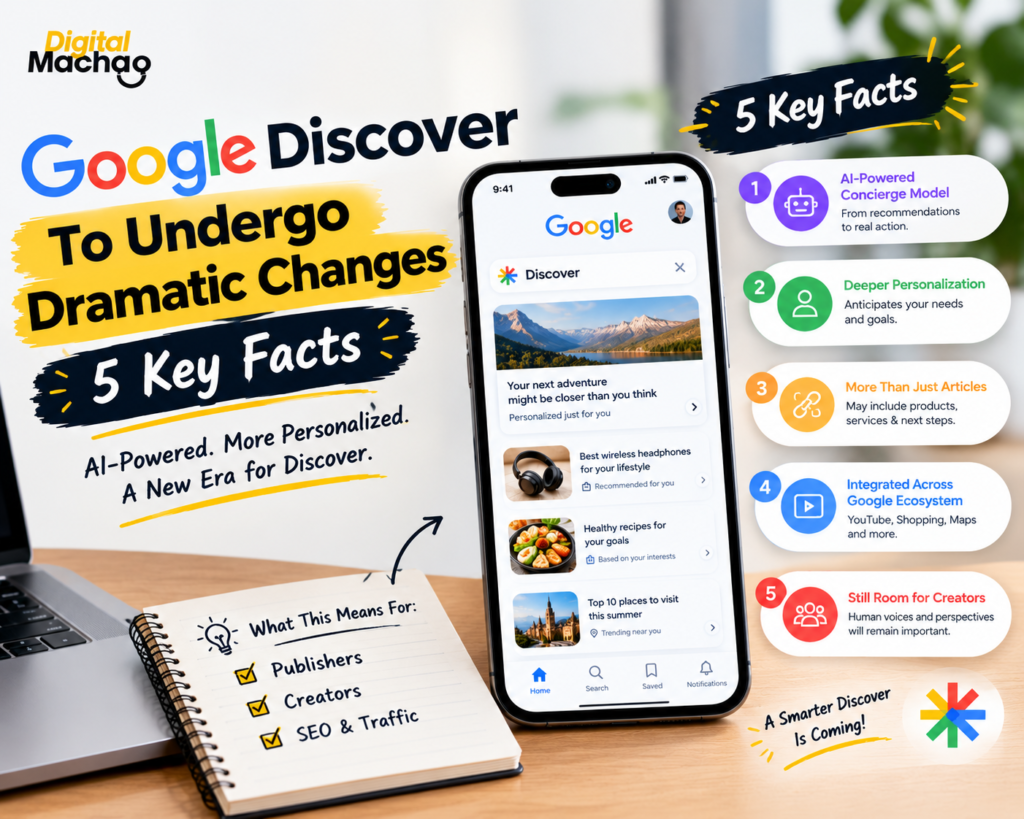
Google Discover To Undergo Dramatic Changes Introduction: Google Discover To Undergo Dramatic Changes, Based On A Quiet But Telling Signal Sometimes the biggest hints about where a product is headed don’t come from an official announcement — they come from a job listing. That’s exactly the case here. Google Discover to undergo dramatic changes is the conclusion drawn by Roger Montti of Search Engine Journal, based on a Google job posting for a Principal UX Lead for Discover that reveals far more about the platform’s future direction than any press release has so far. At digitalmachao.com, where we track Google product shifts and SEO-relevant news closely, this particular signal stood out because of how specific the language in the posting actually is. It’s important to be clear from the outset: this is a signal, not a confirmed product announcement. Google hasn’t formally unveiled a redesigned Discover experience. But the posting itself describes a vision detailed enough that Google Discover to undergo dramatic changes looks like a reasonable read of where things are heading, not just speculation. This article breaks down exactly what the job posting says, how it connects to Google’s broader AI strategy, and what it could mean for publishers, creators, and anyone relying on Discover traffic today. The Core Signal: Discover Moving Toward A “Concierge” Model Key facts: The job posting describes Google’s vision for Discover as a “proactive, hyper-personalized concierge experience” — language that goes well beyond the article-recommendation feed Discover has historically been. Instead of simply recommending articles related to a user’s interests, this concierge model is designed to help users make actual progress on their goals, anticipating needs and surfacing not just articles, but also products, services, and concrete next steps. This represents a fundamental shift in what Discover is meant to do: moving from a passive content feed to something closer to an active assistant that responds to what a user is trying to accomplish. Why This Matters This is the heart of why Google Discover to undergo dramatic changes is a meaningful development rather than a routine product tweak. A feed that recommends articles and a concierge that helps you accomplish goals are fundamentally different products, even if they share the same name and the same visual real estate on a phone screen. If Google genuinely builds Discover around this concierge framing, the entire logic of how content gets surfaced — and what kind of content gets rewarded — could shift substantially from what publishers have optimized for over the past several years. How This Connects To Google’s Broader Agentic Search Strategy Key facts: This potential shift lines up closely with public comments from Google CEO Sundar Pichai, who has described a future where many information-seeking queries evolve into agentic, task-based search — search that doesn’t just inform you, but actively does something on your behalf. A 2026 Google research paper on recommendation systems is also cited as relevant context, specifically one focused on inferring semantic intent and subjective “soft attributes” — essentially, systems that try to understand the deeper meaning and preference behind a request, not just its literal keywords. Taken together, these signals suggest Discover isn’t being redesigned in isolation — it’s being repositioned as part of a much larger company-wide push toward agentic, intent-driven AI experiences. Why This Matters Google Discover to undergo dramatic changes makes a lot more sense once you see it as one piece of a bigger pattern rather than an isolated Discover-specific decision. Google has been signaling this agentic direction across Search more broadly for some time now. Seeing that same philosophy explicitly written into a Discover leadership job posting suggests the company isn’t just testing the idea in isolated features — it’s actively hiring to build out this vision at a foundational, product-leadership level. New Feed Formats And More Interactive, AI-Driven Design Key facts: The job posting points toward redefining how feed interactions work, the formats content takes, and how AI-driven exploration functions within Discover — while still incorporating user interaction data the way the current feed does. There’s specific language about scaling AI-enabled formats and introducing new engagement mechanisms, alongside a stated goal of “elevating human voices and perspectives” within the experience. That particular phrase — elevating human voices and perspectives — is being read by Search Engine Journal as a potentially encouraging signal for publishers and creators, suggesting Google may be deliberately trying to avoid a redesign that squeezes out original human-created content in favor of purely AI-generated summaries. Why This Matters This is one of the more reassuring details buried inside an otherwise disruptive-sounding shift. Google Discover to undergo dramatic changes doesn’t necessarily mean publishers get cut out of the picture entirely — the explicit mention of elevating human voices suggests Google is at least aware of that risk and is positioning the redesign as something that incorporates creators rather than replaces them outright. Whether that intention actually holds up once the product ships is a separate question, but it’s a notably different tone than a pure AI-automation pitch would carry. Deeper Integration Across YouTube, Shopping, Chrome, And Android Key facts: The role is described as working closely across YouTube, Shopping, Chrome, and Android to build what’s framed as a more unified Google experience. Currently, Discover exists as a feature tied directly to Search — which is precisely why Google Search Console treats Discover performance as a subset of overall Search reporting rather than as a fully separate product. This cross-product integration suggests Discover could eventually pull in far more than article recommendations, potentially surfacing shopping suggestions, video content, and task-based actions pulled from across Google’s entire ecosystem. Why This Matters If Google Discover to undergo dramatic changes extends this far into cross-product integration, Discover stops being just a news and content feed and starts looking more like a centralized, AI-curated hub spanning nearly everything Google offers. For publishers specifically, this raises a real structural question: if Discover increasingly surfaces shopping results, YouTube content, and app-based actions alongside (or instead of)

Google Explains How To Use HTML Sitemaps For SEO
News

Google Explains How To Use HTML Sitemaps For SEO

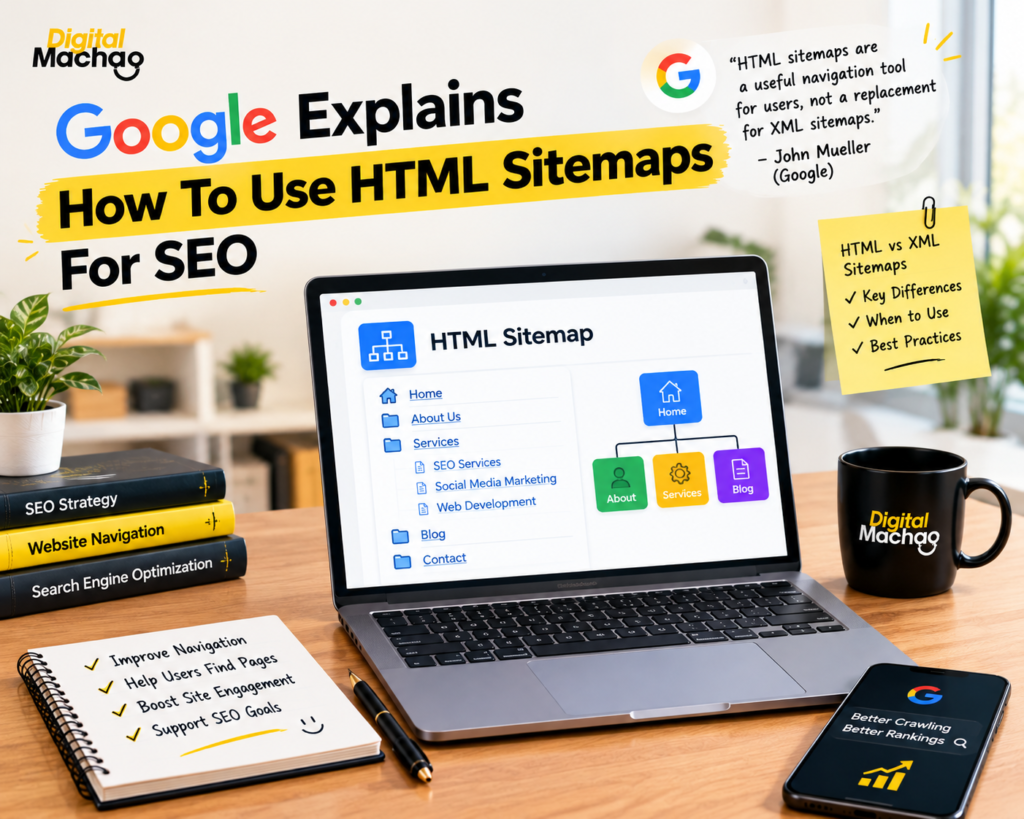
Google Explains How To Use HTML Sitemaps For SEO Introduction: Google Explains How To Use HTML Sitemaps For SEO, And It’s Not What Most People Assume For years, many site owners have treated HTML sitemaps as a relic — something SEOs used before XML sitemaps existed, now kept around mostly out of habit. That assumption just got a reality check. In a recent episode of Google’s Search Off The Record podcast, Google explains how to use HTML sitemaps for SEO in a way that clarifies exactly what role they still play, and where they genuinely stop being useful. At digitalmachao.com, where we follow Google’s statements and SEO developments closely, this discussion stood out because it tackles a question a lot of site owners quietly wonder about but rarely get a direct answer to: do HTML sitemaps still matter in 2026? Now that Google explains how to use HTML sitemaps for SEO through John Mueller’s own comments, there’s finally a clear answer — and it’s more nuanced than “yes” or “no.” This article breaks down the full discussion: where HTML sitemaps came from, why they’re fundamentally different from XML sitemaps, and exactly how to use one effectively if you decide to build it. Where HTML Sitemaps Came From, Before XML Existed Key facts: Before the XML sitemap standard existed, SEOs commonly linked to HTML sitemaps directly from site footers, often listing nearly every meaningful page on the site to help search engine crawlers discover them more easily. RSS feeds may have also helped with page discovery during this earlier era, though they were never widely adopted as a dedicated discovery method the way HTML sitemaps were. The XML sitemap standard that’s now universal across the industry only came about later, once Google, Yahoo, and Microsoft agreed on a shared format for submitting structured lists of URLs directly to search engines. Why This Matters Understanding this history is the first step to correctly interpreting how Google explains how to use HTML sitemaps for SEO today. HTML sitemaps weren’t originally built as an SEO trick — they were a practical discovery tool built before search engines had a dedicated, structured way to receive a site’s URL list. Once XML sitemaps arrived and gave crawlers that structured channel directly, the original reason for building a massive HTML sitemap page largely disappeared. That history explains why so much confusion exists today about whether HTML sitemaps still serve any real purpose. Google Confirms: HTML Sitemaps Are Not A Replacement For XML Sitemaps Key facts: In the Search Off The Record episode, Google’s John Mueller was direct about the core limitation: HTML sitemaps lack the structured format that XML sitemaps provide, and they cannot be submitted to Google as an actual sitemap file through Search Console or any other submission method. Mueller described an HTML sitemap plainly as “basically a collection of links” — not a technical sitemap in the formal sense Google uses that term. Despite not being a submittable sitemap, crawlers can still follow the links on an HTML sitemap page exactly the way they’d follow any other links found anywhere else on a site. Why This Matters This is the single most important clarification in how Google explains how to use HTML sitemaps for SEO. The confusion many site owners have stems from the shared word “sitemap” — assuming an HTML sitemap and an XML sitemap serve the same technical function just in different formats. They don’t. An XML sitemap is a formal, submittable file that directly tells Google which URLs exist and when they were updated. An HTML sitemap is simply a page of links, discovered and crawled the same way any other page on your site would be. Treating one as a substitute for the other is a mistake worth correcting immediately if your SEO strategy currently relies on that assumption. So What Is An HTML Sitemap Actually Good For? Key facts: Despite not functioning as a technical sitemap, Mueller confirmed that HTML sitemaps still serve a legitimate purpose: working as a genuine, user-facing navigation aid for actual site visitors. In the ecommerce example Mueller used to illustrate this, an effective HTML sitemap page would list top-level category pages — not an exhaustive list of every single product on the site. This structure allows visitors to use the page as a starting point, drilling down from broad categories into the specific pages or products they’re actually looking for. Why This Matters This is the practical core of how Google explains how to use HTML sitemaps for SEO: the value starts with the human visitor, not the crawler. An HTML sitemap built correctly isn’t a dumping ground for every URL on your site — it’s a genuinely useful navigation page that helps real people find their way around, especially on larger sites where primary navigation menus can’t reasonably list everything. Built this way, it functions much like a well-organized table of contents rather than an exhaustive technical index. Why HTML Sitemaps Don’t Need To Include Every Page Key facts: A key distinction Google draws is that HTML sitemaps don’t need to include every page on a site — unlike XML sitemaps, which are often expected to comprehensively list all the important, indexable URLs a site wants crawled. The ecommerce example specifically illustrates this: category-level pages make sense for a human-usable navigation aid, while listing every individual product would make the page overwhelming and far less useful for actual visitors. This reinforces that HTML sitemaps and XML sitemaps are built for fundamentally different audiences and purposes — one for people, one for crawlers. Why This Matters This single point resolves a common point of confusion in how site owners approach HTML sitemap pages. Many older HTML sitemaps were built as link-dumps, trying to cram in every possible URL in an attempt to help with crawling — exactly the approach that made sense before XML sitemaps existed, but that now works against the page’s actual value. Once Google explains how to use HTML sitemaps

Google Completes September 2026 Spam Update
News

Google Completes September 2026 Spam Update

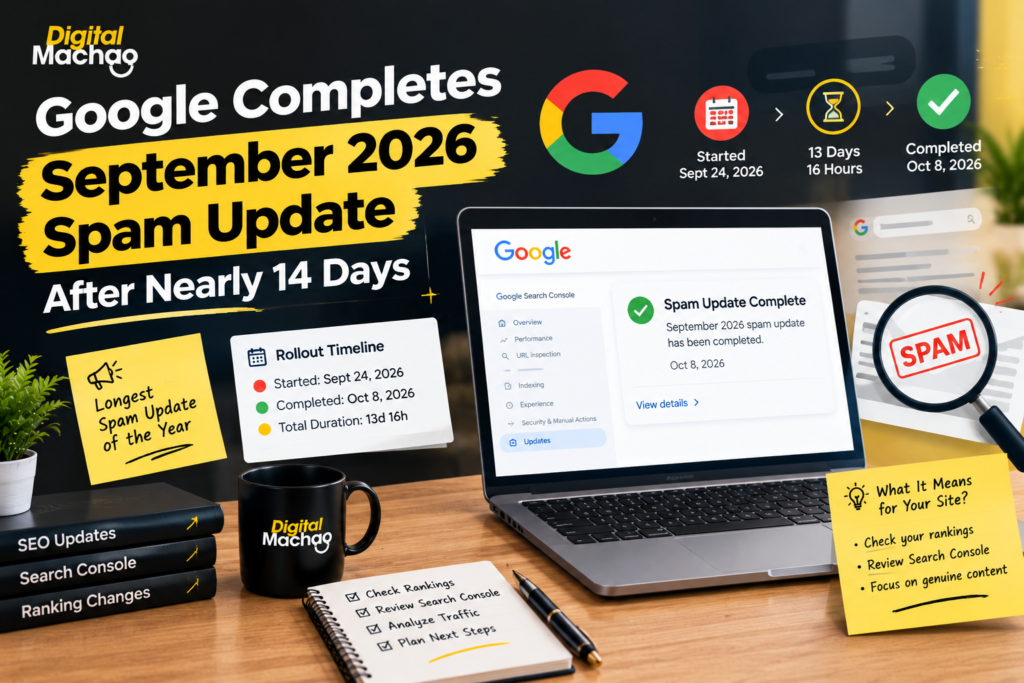
Google Completes September 2026 Spam Update After Nearly 14 Days Introduction: Google Completes September 2026 Spam Update, But The Questions Aren’t Over Google completes September 2026 spam update as of October 8, 2026 — closing out a rollout that took nearly 14 days, by far the longest spam update Google has run all year. For SEOs and site owners who’ve spent the past two weeks nervously refreshing Search Console, the news that Google completes September 2026 spam update brings a kind of relief, but it also opens a new phase: figuring out what actually happened, and what to do next. At digitalmachao.com, where we track Google algorithm news and SEO developments as part of our ongoing coverage, this update stood out immediately because of how unusually long it ran compared to every other spam update this year. Now that Google completes September 2026 spam update, here’s the full timeline, how it compares to past updates, what early third-party data is showing, and the concrete steps worth taking before assuming this update is the reason behind any ranking changes you’ve noticed. The Full Timeline: How Long It Actually Took Key facts: Google’s Search Status Dashboard confirms the rollout ended at 1:00 a.m. PDT, with the update listed as complete as of October 8, 2026. The update originally began on September 24, 2026. At launch, Google said it would apply globally, across all languages, and could take “up to two weeks to complete.” Google’s own ranking update history logs the total rollout duration at 13 days and 16 hours — just shy of a full two weeks. As of publication, Google has not disclosed what specifically the September update targeted, or why it ran significantly longer than earlier updates released earlier in the year. Why This Matters The fact that Google completes September 2026 spam update almost exactly at the upper edge of its own stated two-week estimate is worth noting on its own. Google rarely gives a timeframe this specific in advance, and when it does, running right up against that limit suggests this rollout genuinely needed the full window — not that Google was simply being cautious with its initial estimate. For site owners, the practical takeaway is straightforward: any ranking or traffic movement observed between September 24 and October 8 falls inside the official rollout window, and should be read with that context in mind. How This Compares To Every Other Spam Update In 2026 Key facts: The March 2026 spam update ran for just 19 hours and 30 minutes. The June 2026 spam update took 2 days and 1 hour. The August 2026 spam update ran for 2 days and 16 hours. By contrast, the September update — the one where Google completes September 2026 spam update after nearly 14 days — dwarfs all three earlier 2026 rollouts combined. For additional context, the August 2025 spam update ran for roughly 27 days, from August 26 to September 22, 2025, showing that extended spam rollouts aren’t entirely unprecedented, even if they’re unusual. Why This Matters Seeing Google completes September 2026 spam update after nearly 14 days immediately stands out next to a year of updates that mostly wrapped up in a few days. This kind of gap matters because it changes how confidently anyone can interpret short-term signals. A ranking fluctuation that might have resolved itself within 48 hours during the March or June updates could plausibly still be in motion for well over a week during this particular rollout, simply because Google’s systems were still actively processing and adjusting. What Google’s Documentation Actually Says About Spam Updates Key facts: Google officially describes a spam update as a notable improvement to its automated spam-detection systems — language it uses consistently across these rollouts. Google has not stated publicly what the September 2026 update specifically addressed, nor explained why this particular rollout took considerably longer than its three predecessors earlier in the year. This lack of specificity is consistent with how Google typically handles spam update disclosures — broad confirmation that systems were improved, without naming exact targets or mechanisms. Why This Matters Even now that Google completes September 2026 spam update, the absence of a stated target leaves site owners without a clear checklist to compare their own sites against. That’s frustrating, but it’s also fairly standard practice from Google, which generally avoids giving detailed spam-detection specifics that bad actors could use to reverse-engineer workarounds. The practical response remains the same one Google consistently recommends: review your site against Google’s published spam policies broadly, rather than searching for one specific technical cause. What Early Third-Party Data Is Showing Key facts: Analytics platform Diib analyzed 32,569 sites with connected Google Analytics accounts during the rollout window. The median share of visits coming from unpaid Google search fell from 34% to 31% across the sample. Within that same dataset, 10% of sites saw their organic search share drop by half or more, compared to just 5% of sites in Diib’s earlier comparison period. Diib was careful to frame this as “an early read, not a verdict,” noting explicitly that the data doesn’t identify which specific sites Google actually flagged as spam versus sites affected by unrelated fluctuations. Separately, rank-tracking platform SEOmonitor reported that many third-party rank trackers showed sudden, dramatic ranking changes starting around September 26 that real users searching Google weren’t actually seeing. SEOmonitor attributed this to incomplete or inconsistent results being returned to the automated, bot-driven searches that rank trackers rely on. SEOmonitor also noted an important distinction: genuine spam-related ranking changes tend to persist for several consecutive days and show up clearly in Search Console impressions and clicks data — unlike the brief, inconsistent spikes some rank trackers displayed. Why This Matters Now that Google completes September 2026 spam update, this early data offers a useful gut-check against panic. A 3-percentage-point median drop in organic share across tens of thousands of sites is a real signal worth watching, but it’s an aggregate figure across a huge, varied

The Business Case For SEO Is Changing
News

The Business Case For SEO Is Changing

The Business Case For SEO Is Changing; Budget Justifications Should Too Introduction: The Business Case For SEO Is Changing Faster Than Most Budgets Can Keep Up For years, justifying an SEO budget was simple: show the organic traffic chart, point to the upward trend, and the line item renewed itself. That model is breaking down. The business case for SEO is changing because the thing SEO actually produces — consistent, structured, discoverable information about a business — now feeds far more than a ranking in Google’s blue links. It feeds AI Overviews, chatbot answers, shopping agents, and internal systems that have nothing to do with organic search traffic at all. The problem is that most budget justifications haven’t caught up. Finance teams, marketing leads, and even SEO practitioners themselves are still defending this work using a single metric — organic sessions — that increasingly misrepresents what the work is actually worth. When the business case for SEO is changing this fundamentally, the way teams justify and structure that budget has to change with it. At digitalmachao.com, where we cover SEO and AI search developments as part of our regular news coverage, this exact shift has come up again and again in recent industry discussions. This article breaks down why the business case for SEO is changing, what a smarter budget structure looks like, and how to build a proposal that actually survives scrutiny. Why SEO Has Outgrown Its Old Budget Category Key facts: SEO budgets have traditionally been justified almost entirely by organic traffic growth — the assumption being that more clicks from search directly equals more business value. This traffic-based model misses a significant category of benefit: consistent, accurate product and business information that supports discovery systems well beyond classic search, along with internal operational use cases that depend on that same clean data. When organic returns decline — as they increasingly do in an AI-mediated search landscape — these other, harder-to-measure capabilities become vulnerable to budget cuts, even though the underlying work is often more valuable than ever. Why This Matters This is the central reason the business case for SEO is changing. The technical and content work behind strong SEO — clean structured data, accurate product information, well-organized content — was always doing more than driving clicks. It just wasn’t being credited for the rest. Now that AI systems depend heavily on that same foundation to generate accurate answers, the gap between what SEO actually delivers and what the budget narrative claims it delivers has become impossible to ignore. The GEO Budget Paradox: Same Work, Different Label Key facts: A recurring pattern in how organizations respond to this shift is creating a brand-new “GEO” (Generative Engine Optimization) budget line, separate from the existing SEO budget, to fund essentially the same underlying work. Google’s own guidance states that its AI search features rely on standard SEO fundamentals rather than requiring a wholly separate technical discipline — though this may not hold true across every AI platform equally. Before creating a new budget category, organizations should first map how much proposed “GEO” work actually overlaps with SEO work that’s already funded, rather than assuming it’s an entirely new cost center. Why This Matters This is one of the clearest signs that the business case for SEO is changing in a way that creates real risk of waste. If a company funds structured data improvements, content clarity work, and technical fixes twice — once as “SEO” and again as “GEO” — because leadership believes they’re different disciplines, that’s not smart budgeting. It’s duplicated spend justified by a label change. The smarter move is recognizing that, in large part, the business case for SEO is changing to include AI visibility, not being replaced by a separate discipline that needs its own line item. A Practical Example: Reallocating A Budget By Purpose, Not Expense Type Key facts: One illustrative example reorganizes a hypothetical $1.2 million ecommerce SEO budget — keeping the total spend identical, but restructuring it around purpose rather than traditional expense categories. The reallocation breaks the same total budget into four functional buckets: shared discovery infrastructure (35%), commercial search (30%), AI experimentation (15%), and measurement and operations (20%). These percentages are explicitly illustrative, not a recommended universal ratio — every organization’s right mix depends entirely on its own business model. Why This Matters This reframing is a genuinely useful template for any team trying to explain why the business case for SEO is changing to a finance stakeholder who only sees one number on a spreadsheet. Instead of asking for “more SEO budget” as an undifferentiated lump sum, breaking the ask into functional purposes — infrastructure that other systems depend on, revenue-generating search work, forward-looking AI experimentation, and the operational cost of measuring it all — gives decision-makers something they can actually evaluate line by line, rather than a single vague request riding entirely on a traffic trendline. Different Types Of SEO Investment Need Different Tests Key facts: A major reason the business case for SEO is changing is that not all SEO spending serves the same purpose, and treating every dollar the same way distorts the justification. Four distinct categories each need their own evaluation standard: Work that generates revenue should be judged on expected incremental return — the traditional ROI conversation most people already associate with SEO. Work that protects revenue — such as technical work during a platform migration — should be judged on expected loss avoided relative to the cost of the mitigation effort, not on new traffic gained. Work that maintains existing capabilities should be judged on operational value relative to its ongoing cost, similar to how a business would evaluate any infrastructure maintenance spend. Work that reduces uncertainty — genuine experimentation — should be judged on the value of the information the experiment produces, with clear decision criteria set before any money is spent, not after. Why This Matters This four-category framework is arguably the most practical shift in how the business case

Using AI To Assist With SEO Work
News

Using AI To Assist With SEO Work

Using AI To Assist With SEO Work, Not Replace The Worker Introduction: Using AI To Assist With SEO Work Is Not The Same As Replacing SEOs Every few months, a new wave of panic rolls through the SEO industry: “AI is going to replace SEOs.” It makes for a dramatic headline, but it misses what’s actually happening on the ground. The real shift isn’t AI replacing the worker — it’s smart practitioners using AI to assist with SEO work in ways that make them faster, sharper, and more valuable, not obsolete. According to insights shared by Chris Green, Technical Director and Senior Consultant at Torque Partnership, the right way to think about using AI to assist with SEO work is through a clear line: some tasks demand rigid, deterministic logic that AI shouldn’t be anywhere near, while others genuinely benefit from AI’s ability to interpret, summarize, and explain. Confusing the two is where most AI-in-SEO strategies go wrong. This article breaks down that framework — what AI should never be trusted to decide on its own, where using AI to assist with SEO work genuinely pays off, and how to build a workflow that keeps the human practitioner firmly in the loop rather than replaced by it. Why Some SEO Tasks Should Never Be Handed To AI Alone The starting point for using AI to assist with SEO work responsibly is understanding which tasks are deterministic — meaning they have one correct, verifiable answer — versus which tasks are probabilistic and benefit from interpretation. Key facts: Deterministic SEO tasks include things like whether a page returns an HTTP 404 status code, whether a canonical tag exists on a given URL, how the DOM renders after JavaScript executes, and whether robots.txt actually permits or blocks crawler access. Green argues these tasks should run through a “firm framework rather than a probabilistic token-eating word-predictor,” because they produce the same correct answer every single time they’re checked. Using AI to assist with SEO work on tasks like these — where a large language model essentially guesses at an answer that software can simply verify — introduces unnecessary risk of error into checks that should be 100% reliable. Why This Matters This is the single most important guardrail in any strategy for using AI to assist with SEO work. A 404 status code is not a matter of interpretation — it either returns or it doesn’t. Handing that kind of binary, verifiable fact to a language model, which generates probabilistic text rather than running a deterministic check, introduces a failure point that simply doesn’t need to exist. The practical takeaway: keep technical, verifiable SEO checks running through actual software and crawlers, and reserve AI for the layer that sits above those facts — not for generating the facts themselves. Where Using AI To Assist With SEO Work Actually Pays Off Once the deterministic layer is handled by proper tools, there’s real, substantial value in using AI to assist with SEO work on the interpretive side of the job. Key facts: Language models are genuinely effective at converting dense technical data — JSON exports, spreadsheet dumps, crawl reports — into readable, digestible summaries a stakeholder or client can actually understand. AI is well suited to explaining what changed between two versions of a page, a site, or a dataset, turning a raw diff into a plain-language explanation. Generating ticket descriptions for developers is another strong use case, since it saves practitioners from manually re-explaining the same technical context over and over. AI also genuinely helps interpret ambiguous semantic shifts — situations where meaning or intent has changed in a way that isn’t a simple binary fact, but requires judgment-informed explanation. Why This Matters This is where using AI to assist with SEO work delivers real, measurable time savings without sacrificing accuracy. None of these use cases ask AI to be the source of truth — they ask AI to take facts that are already established and make them faster to understand, communicate, and act on. That distinction is what separates a genuinely useful AI workflow from a risky one. The AI model provides supporting evidence and explanation; it does not become the final decision-maker on whether something is actually a problem worth fixing. A Real Experiment: What Happened When AI Judged Instead Of Supported One of the most instructive parts of this discussion comes from a direct experiment testing the limits of using AI to assist with SEO work. Key facts: Testing an on-device model (Gemini Nano), Green found it performed well at describing DOM changes — accurately summarizing what had shifted in a page’s rendered structure. However, the same model struggled significantly when asked to combine multiple structured facts into a nuanced SEO judgment — the kind of multi-factor reasoning an experienced practitioner does almost instinctively. Rather than trying to fix this by piling on more detailed instructions or prompts, the practical solution was reassigning the model’s role entirely: instead of asking it to judge findings, it was repositioned to support the practitioner’s own judgment. Why This Matters This experiment is a useful real-world test case for anyone experimenting with using AI to assist with SEO work. The instinct when an AI model gets something wrong is often to write a longer, more detailed prompt — adding more rules, more context, more constraints. But the better fix, based on this experience, isn’t a bigger prompt. It’s a smaller job. Describing a change is a task AI handles well. Judging whether that change matters, and what should be done about it, is still a job for the practitioner. Recognizing which category a task falls into — description or judgment — is the real skill in using AI to assist with SEO work effectively. The Practical Workflow: Facts, Then AI, Then Judgment Put together, this points to a simple, repeatable three-step workflow for using AI to assist with SEO work without losing control of the outcome. Key facts: Establish the facts with software. Technical, deterministic

AI Cites Your Brand
News

AI Cites Your Brand: How to Choose Your Next Move

AI Cites Your Brand: How To Choose Your Next Move Introduction: AI Cites Your Brand, Now What? You searched a question, and AI cites your brand in the answer. Exciting, right? But here’s the catch most marketers miss: when AI cites your brand once, it doesn’t automatically mean you’re winning. And when AI cites your brand less often than a competitor, that doesn’t automatically mean you’re losing either. This is the core problem a lot of marketing teams run into. They see that AI cites your brand in one ChatGPT answer or one Perplexity response, get excited, and move on. Or they see that AI cites your brand’s competitor instead, panic, and start firing off emails demanding corrections. Neither reaction is the right one. According to insights shared by Constance Tan, Product Marketer at Ahrefs, in a recent industry discussion, the smarter approach is to treat every single instance where AI cites your brand — or fails to — as one data point inside a much bigger pattern. The question isn’t “did AI cite my brand today?” It’s “what does AI consistently say about my brand across the entire customer journey, and what should I actually do about it?” In this article, we’ll break down exactly how to build that bigger picture, and how to choose your next move whether AI cites your brand accurately, inaccurately, rarely, or not at all. Why One Citation Doesn’t Tell You The Whole Story The first mistake most brands make is reacting to isolated moments when AI cites your brand, rather than looking for patterns. Key facts: AI systems like ChatGPT, Google AI Overviews, and Perplexity pull from a huge range of sources — articles, reviews, forum discussions, videos, and comparison pages — to decide whether AI cites your brand in a given answer. A single prompt result is just one sample. The same question, asked slightly differently, can produce a completely different answer about whether AI cites your brand or a competitor instead. Tan recommends organizing your monitoring around three categories of questions that map to the real customer journey: problem-solving queries (how customers discover solutions before they even think of specific brands), positioning and comparison queries (which brands AI recommends for a given use case), and business-fact queries (whether AI accurately states your pricing, features, and capabilities). Why This Matters If you only track whether AI cites your brand for branded searches, you’re missing almost the entire funnel. Most buyers don’t start by typing your brand name — they start with a problem. Tracking only the moments when AI cites your brand by name means you never see how often AI recommends a competitor before your brand even enters the conversation. As Tan put it, “the idea is that you want a representative view from every angle of the customer journey” — not a lucky screenshot of AI citing your brand once. When A Competitor Gets Cited Instead Of You It stings when you ask a question and AI cites your brand’s competitor instead. But before reacting, dig into why. Key facts: When a competitor gets more AI citations than you do, the first step is examining the specific source pages actually driving those answers — not just the brand name that shows up. Reviews, forum discussions, and videos can influence whether AI cites your brand just as much as traditional articles and blog posts do. For outreach efforts aimed at getting these sources corrected or updated, prioritize pages that are both frequently cited by AI and realistically reachable — chasing every single source wastes time you don’t have. Why This Matters It’s tempting to assume AI cites your brand less because of some mysterious algorithmic bias. In reality, it usually comes down to which sources AI is actually pulling from, and whether those sources favor a competitor’s language, structure, or recency. Once you identify exactly which pages are feeding AI’s answer, you can decide whether the fix is outreach, new content, or simply accepting that particular source isn’t worth chasing. Fixing The Information Gaps That Stop AI From Citing Your Brand Accurately Sometimes the problem isn’t that AI ignores your brand — it’s that AI cites your brand with outdated or wrong information. Key facts: The first and most important fix is internal: update outdated pricing pages, stale product descriptions, and old content on your own website before chasing anyone else’s corrections. External outreach is harder than it looks. In one real example shared by Tan, Ahrefs contacted 26 authors about inaccuracies in their content. Only 10 responded, and just 4 actually made updates. When outreach isn’t realistic, Tan suggests a different approach entirely: “Sometimes it’s better to create the new sources of information, new pages that answer or cover the topic in a better way” — rather than spending months trying to get someone else’s page corrected. Why This Matters This data point matters enormously: out of 26 outreach attempts, only 4 resulted in an actual fix. If your strategy for improving how often AI cites your brand accurately depends entirely on convincing other website owners to update their content, you’re playing a low-odds game. The better long-term move is often publishing your own authoritative, up-to-date page on the topic — one strong enough that AI naturally prefers citing your brand’s own source over an outdated third-party one. Showing Up In Communities Without Looking Like You’re Selling AI increasingly pulls from forums, Reddit threads, and community discussions when deciding whether AI cites your brand in an answer. That makes authentic participation a real lever. Key facts: The right way to participate in these communities is by answering genuine technical questions and correcting factual errors — not by inserting product pitches into unrelated discussions. AI systems can detect patterns that look like coordinated self-promotion, so a heavy-handed approach can backfire and reduce the chances AI cites your brand as a trustworthy source. Authentic, helpful contributions build the kind of reputation signal that naturally increases the odds AI cites your brand

Crawling
News

Google Shows How Long Crawling, Indexing & Recovery Can Take

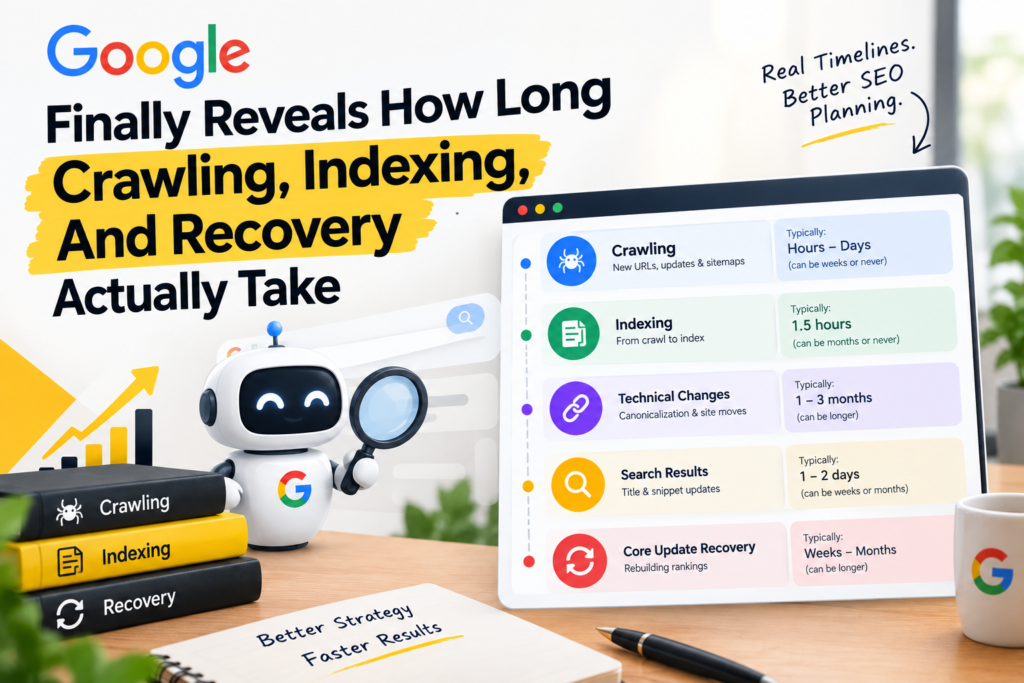
Google Shows How Long Crawling, Indexing & Recovery Can Take For years, one of the most frustrating parts of SEO has been the silence around timing. A new page goes live, and nobody can say with any confidence whether Google will discover it in hours or weeks. A core update hits, and the recovery conversation is pure guesswork. Clients ask “how long will this take?” and most SEOs have learned to answer with a shrug dressed up as professionalism: “it depends.” That changed, at least partially, on October 2, 2026, when Google’s Gary Illyes shared real timing ranges for the most common search processes at the Search Central Live Deep Dive event in Barcelona. The data comes from an attendee recap by John Campbell of ROAST, since Google hasn’t published the official slides yet — but the numbers themselves are specific enough to actually be useful. Here’s every range Illyes shared, broken down by stage, along with what each one means for how you plan, report, and set expectations. Crawling And Indexing: From Discovery To Full Visibility Key facts: New URL discovery: typically around 20 hours, but can take anywhere from weeks to never happening at all in the slowest cases. Refresh of already-known URLs: typically around 30 days, with the slowest cases also stretching to weeks or never. Sitemap processing: typically around 24 hours, but can take up to 14 days, or never complete, if Google flags quality issues. End-to-end indexing (crawl to index): typically around 1.5 hours, but can take months or never happen at all, depending on content quality signals. Why This Matters This is the first time many SEOs have seen Google put an actual number on “how long should indexing take.” The headline figure — 1.5 hours for end-to-end indexing in typical cases — is genuinely fast, and it confirms something many practitioners suspected: when indexing drags on for weeks, quality signals are usually the real bottleneck, not some arbitrary queue delay. If a client’s new page still isn’t indexed after a month, the conversation shouldn’t default to “Google is slow.” It should shift toward reviewing the page itself — thin content, duplicate signals, weak internal linking, or anything else that would make Google hesitate to treat it as worth indexing quickly. The sitemap processing number is also worth flagging to anyone who treats sitemap submission as a formality. A typical 24-hour turnaround is fast, but the 14-day-or-never range for sites with quality issues is a real warning: a sitemap full of low-value or problematic URLs can actively slow down how Google treats the rest of your submissions. Technical Changes: Canonicalization And Site Moves Key facts: Canonicalization changes: typically 1 to 3 weeks, but can stretch to months when Google receives conflicting signals about which version of a page is canonical. Site moves: typically 1 to 3 months, with the slowest cases taking anywhere from 6 months to over a year. Smaller sites, however, can sometimes complete a move in just a few weeks. Why This Matters Anyone who has managed a domain migration knows this timeline intuitively, but having Google confirm it changes the conversation with stakeholders. A 1-to-3-month typical window for a site move means that panicking over a traffic dip in week two is premature — but it also means that if you’re still seeing major instability after three or four months, something in the migration likely needs auditing rather than just more patience. The canonicalization number deserves particular attention from technical SEOs. “Months when signals conflict” is a direct warning about what happens when canonical tags, redirects, internal links, and sitemaps all point to slightly different versions of the truth. Cleaning up conflicting signals isn’t just good practice — based on this data, it’s the difference between a multi-week fix and a multi-month one. Search Results: Title And Snippet Updates Key facts: Title updates: typically 1 to 2 days to reflect in search results, but can take several weeks to months in slower cases. Snippet changes: also typically 1 to 2 days, with the same several-weeks-to-months range for slower cases. Why This Matters This is one of the more immediately useful ranges for day-to-day SEO work. If you’ve rewritten a title tag to improve click-through rate and it still hasn’t updated in search results after a week, that’s a reasonable point to start investigating rather than just waiting longer. On the other hand, this range also gives you language to set expectations with clients or stakeholders who want to see a title change reflected in search results the same day they ask for it — a 1-to-2-day typical window is fast by web standards, but it’s not instant, and “several weeks to months” in edge cases is a legitimate possibility worth mentioning upfront. Removals: Search Console Requests And Manual Actions Key facts: Search Console removal requests: typically around 2 hours, with the slowest cases taking up to roughly 24 hours. Manual action removal: typically 1 to 2 weeks after a successful reconsideration request, but can stretch to 4 to 6 or more weeks for sites that have been inactive. Why This Matters The removal request numbers are genuinely reassuring — a 2-hour typical turnaround for Search Console removal requests means this remains one of the fastest, most reliable levers SEOs have for emergency situations, like a page that was accidentally indexed with sensitive content. The manual action timeline is more nuanced. A 1-to-2-week typical recovery window after a successful reconsideration request is useful to know, but the 4-to-6-week-plus range for inactive sites is an important caveat. If a site has been dormant and then gets hit with a manual action, or is trying to recover from one, the process of re-establishing enough activity and trust signals appears to meaningfully slow down how quickly Google processes the recovery. Core Update Recovery: The Timeline Everyone Actually Wants Key facts: Core update recovery: typically 3 to 6 months, but in the slowest cases can take anywhere from 6 months until the next core

AI Shopping Channel
News

AI Shopping Channel

Shopify Is Auto-Enrolling Your Store In Every New AI Shopping Channel — Here’s What That Actually Means If you run a Shopify store, there’s a good chance your products are already being shared with AI shopping apps you never explicitly signed up for. One setting, switched on by default, is quietly enrolling eligible stores in every new AI shopping channel Shopify adds — and most merchants have no idea it’s happening until they go digging through their admin panel. This isn’t a future possibility. It already happened. When Meta launched its AI agent Muse on September 8, 2026, eligible Shopify stores’ products were shared with Meta that same day, without any merchant having to click “yes” to anything new. Here’s a full breakdown of what this default setting does, how direct checkout changes what shows up in your analytics, and the practical steps every Shopify merchant should take right now. Shopify’s “Allow Shopify To Manage For Me” Setting Signs You Up Automatically Key facts: The setting is called “Allow Shopify to manage for me,” and it sits at the top of Sales channels > Agentic inside the Shopify admin. It stays switched on unless a merchant manually turns it off. According to Shopify’s own documentation, agentic storefront channels get access to a store’s products through Shopify Catalog, direct checkout gets activated for relevant channels, and the store is auto-enrolled into any new agentic storefront channel Shopify adds. Shopify Catalog is how most of these AI shopping apps pull in a store’s product list. Google is the one exception — it reads product data from Google Merchant Center instead. Shopify first turned this auto-enrollment on for merchants back in January 2026. Why This Matters Most merchants who checked this setting earlier in the year and confirmed a channel was switched on have no reason to assume anything changed since. But the same setting that enrolled them in one channel is the same setting feeding their product data into every channel added afterward — including ones that didn’t exist yet when they last checked. Meta is the clearest example: stores didn’t opt into sharing products with Meta’s new AI agent. They were enrolled automatically, through a setting most store owners checked once and forgot about. Meta’s Muse Arrived Through This Setting — And Amazon Chose A Different Path Key facts: Meta launched Muse, an AI agent described as able to open a browser, fill out forms, and negotiate on a user’s behalf, on September 8, 2026. Shopify’s own changelog for that date confirms that eligible stores’ products are shared with Meta by default through Shopify Catalog. Twelve days later, on September 20, 2026, Amazon blocked Muse from accessing its store entirely. Shopify’s admin also includes an “Other channels” row, switched on by default, described as covering independent developers, startups, and new third-party partners building experimental shopping agents that have recently gained access to Shopify Catalog for testing. Why This Matters Two of the biggest names in e-commerce took opposite approaches to the same AI agent on the same week. Amazon actively blocked it. Shopify’s default setting shared merchant data with it automatically. Neither approach is inherently wrong, but it highlights how much control individual merchants actually have — and how easy it is to miss that control exists, since the default setting makes the decision for you unless you go looking for it. Direct Checkout Lets Customers Pay Without Ever Visiting Your Website Key facts: On Meta, Google AI Mode and Gemini, and Microsoft Copilot, eligible stores have direct checkout switched on by default. The customer pays inside a Shopify checkout embedded in the chat app and never opens the merchant’s actual website. Eligibility varies by platform: Meta covers stores selling to the US, Canada, or Mexico; Google requires a US store selling to US customers with a Google Merchant Center account; Microsoft Copilot requires a store selling in the US. ChatGPT works differently — it sends the customer to the store’s own checkout, either inside a ChatGPT in-app browser or in a new tab on ChatGPT web. When a customer completes a direct checkout, standard website tracking doesn’t fire. Shopify confirms that Google Analytics and custom pixels won’t trigger during Google and Copilot checkouts, and third-party analytics pixels don’t fire during Meta’s either. Only server-side tracking captures these sales on the analytics side. The order itself still shows up normally inside the Shopify admin, the same way any other sales channel’s orders do. Why This Matters This is the detail with the most immediate, practical impact for merchants. A sale made through direct checkout is real, and it will appear in your Shopify orders — but if you’re used to checking Google Analytics, an ad platform dashboard, or any pixel-based tracking tool to judge how a channel is performing, you may be looking at numbers that don’t include these sales at all. Anyone running paid campaigns or judging channel performance off third-party analytics needs to start cross-checking directly against Shopify’s own order data, filtered by channel, rather than trusting external tracking tools alone. You Can Turn Off Auto-Enrollment Or Disable Individual Channels Key facts: Switching off “Allow Shopify to manage for me” reveals three separate controls: Shopify Catalog access, auto-enroll for new storefronts, and direct checkout. Each individual channel also has its own separate switches. Meta and Copilot both offer a catalog access toggle and a direct checkout toggle. ChatGPT only offers a catalog access toggle. Google only offers a direct checkout toggle, though the store’s products still need to qualify for Shopify Catalog in the first place. Turning off catalog access for a channel doesn’t take effect immediately — Shopify says it can take up to seven days before product data stops being shared through Shopify Catalog. To hide a single product from all AI shopping apps, a merchant has to mark that product as unlisted. Doing so also removes the product from sitemaps, standard search engines like Google, and the store’s own on-site search. Why This Matters Merchants

Scroll to Top