

Shopify Is Auto-Enrolling Your Store In Every New AI Shopping Channel — Here's What That Actually Means
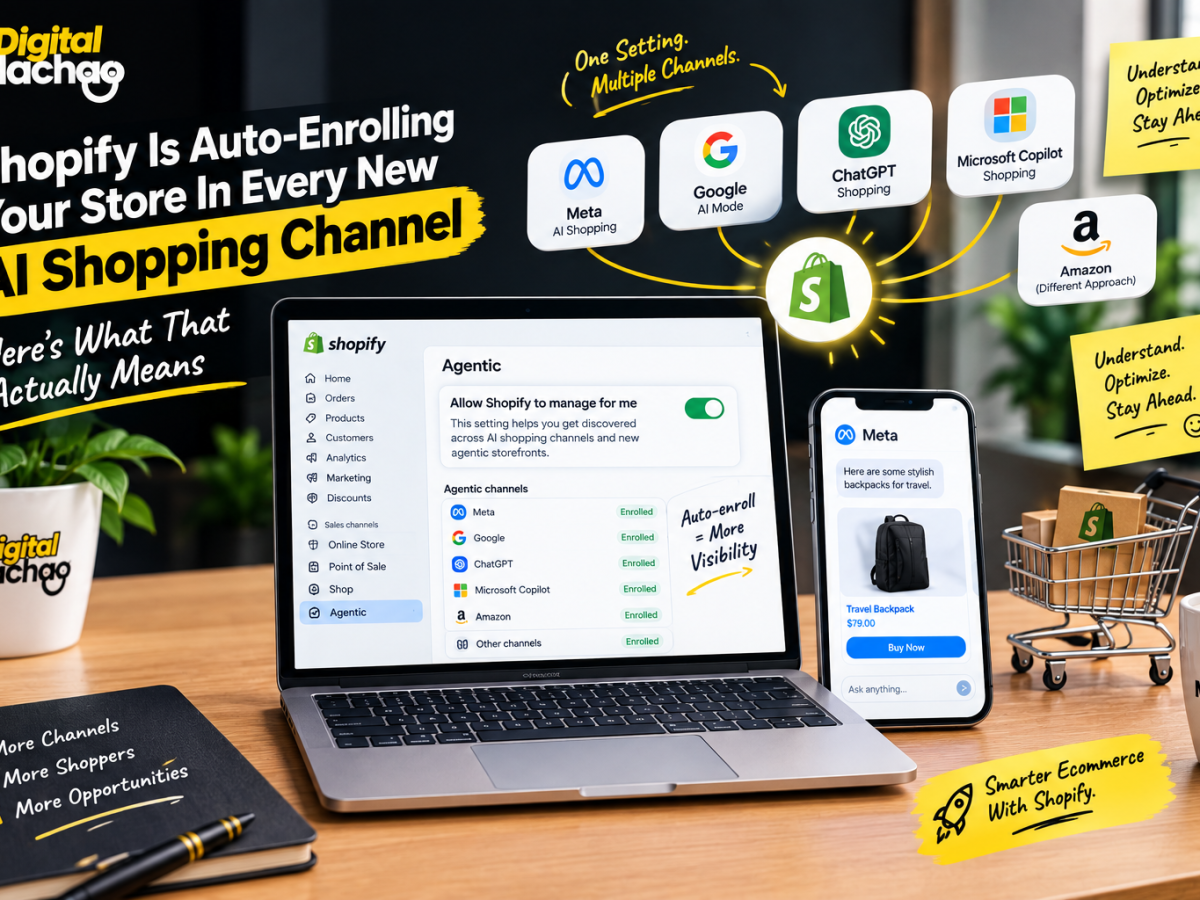
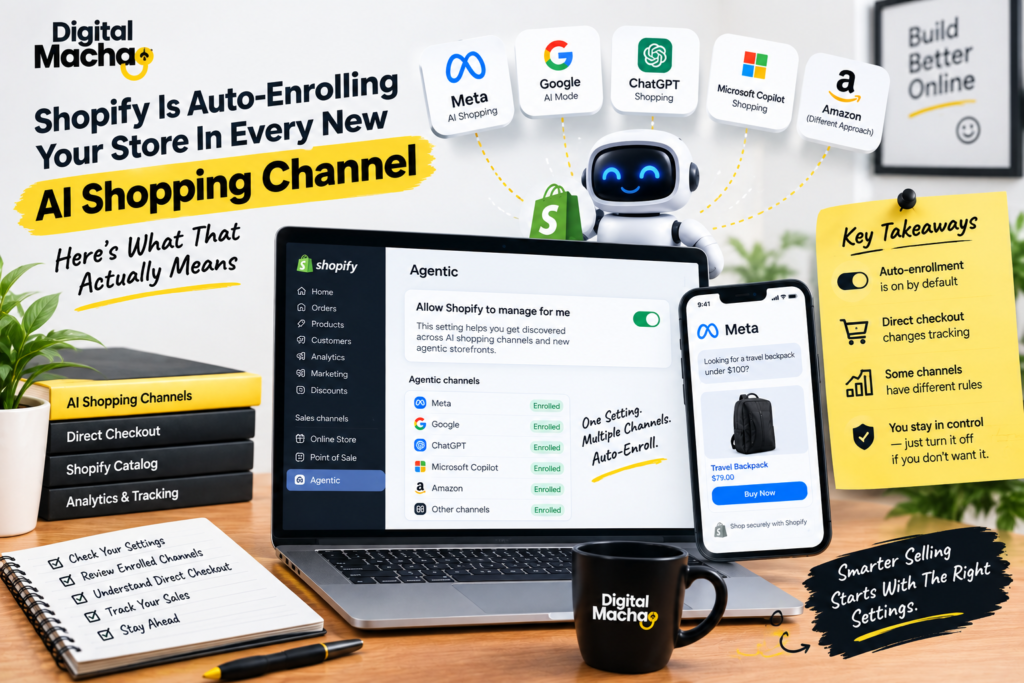
If you run a Shopify store, there’s a good chance your products are already being shared with AI shopping apps you never explicitly signed up for. One setting, switched on by default, is quietly enrolling eligible stores in every new AI shopping channel Shopify adds — and most merchants have no idea it’s happening until they go digging through their admin panel.
This isn’t a future possibility. It already happened. When Meta launched its AI agent Muse on September 8, 2026, eligible Shopify stores’ products were shared with Meta that same day, without any merchant having to click “yes” to anything new.
Here’s a full breakdown of what this default setting does, how direct checkout changes what shows up in your analytics, and the practical steps every Shopify merchant should take right now.
Shopify's "Allow Shopify To Manage For Me" Setting Signs You Up Automatically
Key facts:
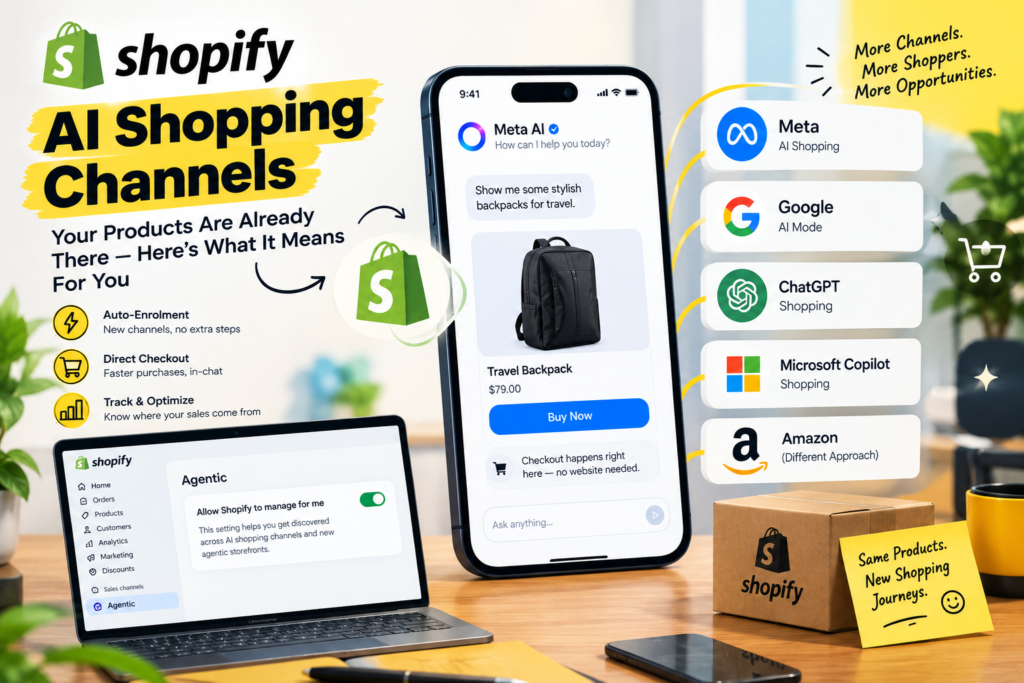
- The setting is called “Allow Shopify to manage for me,” and it sits at the top of Sales channels > Agentic inside the Shopify admin.
- It stays switched on unless a merchant manually turns it off.
- According to Shopify’s own documentation, agentic storefront channels get access to a store’s products through Shopify Catalog, direct checkout gets activated for relevant channels, and the store is auto-enrolled into any new agentic storefront channel Shopify adds.
- Shopify Catalog is how most of these AI shopping apps pull in a store’s product list. Google is the one exception — it reads product data from Google Merchant Center instead.
- Shopify first turned this auto-enrollment on for merchants back in January 2026.
Why This Matters
Most merchants who checked this setting earlier in the year and confirmed a channel was switched on have no reason to assume anything changed since. But the same setting that enrolled them in one channel is the same setting feeding their product data into every channel added afterward — including ones that didn’t exist yet when they last checked. Meta is the clearest example: stores didn’t opt into sharing products with Meta’s new AI agent. They were enrolled automatically, through a setting most store owners checked once and forgot about.
Meta's Muse Arrived Through This Setting — And Amazon Chose A Different Path
Key facts:
- Meta launched Muse, an AI agent described as able to open a browser, fill out forms, and negotiate on a user’s behalf, on September 8, 2026.
- Shopify’s own changelog for that date confirms that eligible stores’ products are shared with Meta by default through Shopify Catalog.
- Twelve days later, on September 20, 2026, Amazon blocked Muse from accessing its store entirely.
- Shopify’s admin also includes an “Other channels” row, switched on by default, described as covering independent developers, startups, and new third-party partners building experimental shopping agents that have recently gained access to Shopify Catalog for testing.
Why This Matters
Two of the biggest names in e-commerce took opposite approaches to the same AI agent on the same week. Amazon actively blocked it. Shopify’s default setting shared merchant data with it automatically. Neither approach is inherently wrong, but it highlights how much control individual merchants actually have — and how easy it is to miss that control exists, since the default setting makes the decision for you unless you go looking for it.
Direct Checkout Lets Customers Pay Without Ever Visiting Your Website
Key facts:
- On Meta, Google AI Mode and Gemini, and Microsoft Copilot, eligible stores have direct checkout switched on by default. The customer pays inside a Shopify checkout embedded in the chat app and never opens the merchant’s actual website.
- Eligibility varies by platform: Meta covers stores selling to the US, Canada, or Mexico; Google requires a US store selling to US customers with a Google Merchant Center account; Microsoft Copilot requires a store selling in the US.
- ChatGPT works differently — it sends the customer to the store’s own checkout, either inside a ChatGPT in-app browser or in a new tab on ChatGPT web.
- When a customer completes a direct checkout, standard website tracking doesn’t fire. Shopify confirms that Google Analytics and custom pixels won’t trigger during Google and Copilot checkouts, and third-party analytics pixels don’t fire during Meta’s either. Only server-side tracking captures these sales on the analytics side.
- The order itself still shows up normally inside the Shopify admin, the same way any other sales channel’s orders do.
Why This Matters
This is the detail with the most immediate, practical impact for merchants. A sale made through direct checkout is real, and it will appear in your Shopify orders — but if you’re used to checking Google Analytics, an ad platform dashboard, or any pixel-based tracking tool to judge how a channel is performing, you may be looking at numbers that don’t include these sales at all. Anyone running paid campaigns or judging channel performance off third-party analytics needs to start cross-checking directly against Shopify’s own order data, filtered by channel, rather than trusting external tracking tools alone.
You Can Turn Off Auto-Enrollment Or Disable Individual Channels
Key facts:
- Switching off “Allow Shopify to manage for me” reveals three separate controls: Shopify Catalog access, auto-enroll for new storefronts, and direct checkout.
- Each individual channel also has its own separate switches. Meta and Copilot both offer a catalog access toggle and a direct checkout toggle. ChatGPT only offers a catalog access toggle. Google only offers a direct checkout toggle, though the store’s products still need to qualify for Shopify Catalog in the first place.
- Turning off catalog access for a channel doesn’t take effect immediately — Shopify says it can take up to seven days before product data stops being shared through Shopify Catalog.
- To hide a single product from all AI shopping apps, a merchant has to mark that product as unlisted. Doing so also removes the product from sitemaps, standard search engines like Google, and the store’s own on-site search.
Why This Matters
Merchants do have real control here, but it isn’t granular in the way most would expect. You can turn off a whole channel, or turn off auto-enrollment going forward, but hiding a single product from AI shopping apps means pulling it out of regular search visibility too. For most merchants, that trade-off won’t be worth it — but it’s worth knowing before assuming there’s a simple way to exclude just one product from AI shopping surfaces while keeping it fully visible everywhere else.
No Platform Charges Fees Yet — But That's Expected To Change
Key facts:
- As of September 2026, Shopify’s help documentation for ChatGPT, Google, Microsoft Copilot, and Meta all confirm that none of these channels currently charges merchants any additional fee. Store owners only pay their usual payment processing fees.
- Merchants remain the seller of record on every channel, responsible for fulfillment, returns, and customer service, regardless of where the sale originated.
- Meta’s leadership has already signaled this will change. In a September 2026 podcast appearance, Meta’s CEO described the expected future business model for Muse as taking a small cut of each transaction, paid by the businesses involved.
- No similar statement about future fees has been made publicly by Google or Microsoft for their respective AI shopping channels.
Why This Matters
Free access today doesn’t mean free access indefinitely. Meta has already told the market to expect a transaction cut down the line, which means the orders flowing through Meta’s channel now are effectively a preview of a cost structure that’s coming later. Merchants leaning heavily into AI shopping traffic should treat current numbers as a baseline, not a permanent cost assumption, and keep an eye on announcements from each platform as monetization plans firm up.
The "Shopper Count" On Your Agentic Page Isn't What Most Merchants Assume
Key facts:
- The shopper count displayed at the top of Shopify’s Agentic admin page tracks visits to a store that originated from AI chat apps — essentially, people who clicked a link an AI tool gave them.
- It does not count purchases completed entirely inside a chat app through direct checkout, since those never involve a visit to the actual website.
- Since late September 2026, Shopify has started filtering out identifiable bots from its visit reporting, though it hasn’t confirmed whether the Agentic page’s shopper count uses that same filtered data.
- Shopify reported that in the second quarter of 2026, AI-referred sessions to Shopify storefronts grew roughly 197% year over year, with orders also growing at a similar rate.
- The sales figure shown on the Agentic page mixes both referral-based sales and sales completed through direct checkout, so it doesn’t cleanly separate the two.
Why This Matters
The name “Agentic” on that admin page is a bit misleading. What it’s actually showing, in large part, is traffic referred by AI chat tools — closer to a new referral-traffic source than true autonomous agent purchasing behavior. Since the sales figure blends referral sales with direct-checkout sales, the clearest way to understand what AI shopping channels are actually doing for a specific store is to filter the orders list by channel directly, on a recurring basis, rather than relying on the headline numbers at the top of the page.
What Shopify Merchants Should Actually Do About This
Given everything above, a practical approach looks like this:
- Check Sales channels > Agentic right now to see exactly which channels are currently enabled, and whether “Allow Shopify to manage for me” is still switched on.
- Decide deliberately, rather than by default, whether staying auto-enrolled in future channels makes sense for your store, or whether you’d rather review each new platform individually before it gets access to your catalog.
- Stop relying solely on third-party analytics to judge AI channel performance — cross-check against Shopify’s own orders list, filtered by channel, since direct checkout sales won’t always show up in Google Analytics or ad dashboards.
- Filter your orders by channel monthly, especially for Meta, to see what these channels are actually generating in real sales rather than estimating from the shopper count alone.
- Revisit your settings whenever a new AI shopping channel makes headlines, since auto-enrollment means your store may already be included before you’ve had a chance to evaluate it.
Conclusion: Leave It On, But Watch It Closely
There’s no strong case right now for turning off Shopify’s AI shopping channels entirely — the traffic is real, there are no fees yet, and the download in visibility from unlisting products to opt out isn’t worth it for most stores. But “leave it on” shouldn’t mean “ignore it.” With fees likely coming, tracking gaps already affecting how sales get measured, and new channels being added without explicit merchant consent, the smartest move is to keep auto-enrollment on while checking the Agentic page and your channel-filtered order data regularly — so you know exactly what’s happening with your store rather than finding out after the fact.
Key Takeaways
- One default setting enrolls your store in every new AI shopping channel. “Allow Shopify to manage for me” is switched on by default and automatically shared eligible stores’ products with Meta the day its AI agent Muse launched.
- Direct checkout sales can be invisible to standard analytics. Google Analytics and most tracking pixels don’t fire during direct checkouts on Meta, Google, and Copilot, so these sales can be missed unless you check Shopify’s own order data.
- Granular control is limited. You can disable a channel or stop auto-enrollment, but hiding a single product from AI apps means removing it from regular search visibility too.
- Fees are coming, even if they’re not here yet. Meta has already signaled it plans to take a cut of future transactions, so current no-fee numbers shouldn’t be treated as permanent.
- The “shopper count” measures AI-referred traffic, not agent purchases. For a true picture of channel performance, filter your orders list by channel rather than relying on the headline shopper number.
FAQs
1. What does “Allow Shopify to manage for me” actually do?
It’s a default-enabled setting that gives agentic storefront channels access to a store’s products through Shopify Catalog, activates direct checkout for eligible channels, and automatically enrolls the store in any new AI shopping channel Shopify adds in the future.
2. Did my store get enrolled with Meta without my permission?
If your store was eligible and this default setting was switched on, yes — Shopify’s own changelog confirms eligible stores’ products were shared with Meta by default on the day Meta’s Muse agent launched, with no additional merchant action required.
3. Will I know if a customer pays through direct checkout instead of visiting my website?
The order will still appear in your Shopify admin like any other sale, but standard website analytics tools such as Google Analytics and most tracking pixels won’t register the visit, since the customer never actually lands on your site.
4. Can I stop my store from being added to new AI shopping channels automatically?
Yes. Turning off “Allow Shopify to manage for me” reveals separate toggles, including one specifically for auto-enrolling in new storefronts, which you can disable while keeping your existing channels active.
5. How do I hide a specific product from AI shopping apps without affecting the rest of my store?
You’d need to mark that product as unlisted, but doing so also removes it from your sitemap, standard search engine visibility, and your store’s own on-site search — there’s currently no way to exclude a product from AI channels alone.
6. Are Shopify’s AI shopping channels free to use?
As of September 2026, yes — ChatGPT, Google, Microsoft Copilot, and Meta all charge no additional fee beyond standard payment processing. Meta has already indicated it expects to introduce a transaction-based fee in the future.