
News

Yes You Can Change AI's Opinion
News

Yes, You Can Change AI’s Opinion. Here’s How.

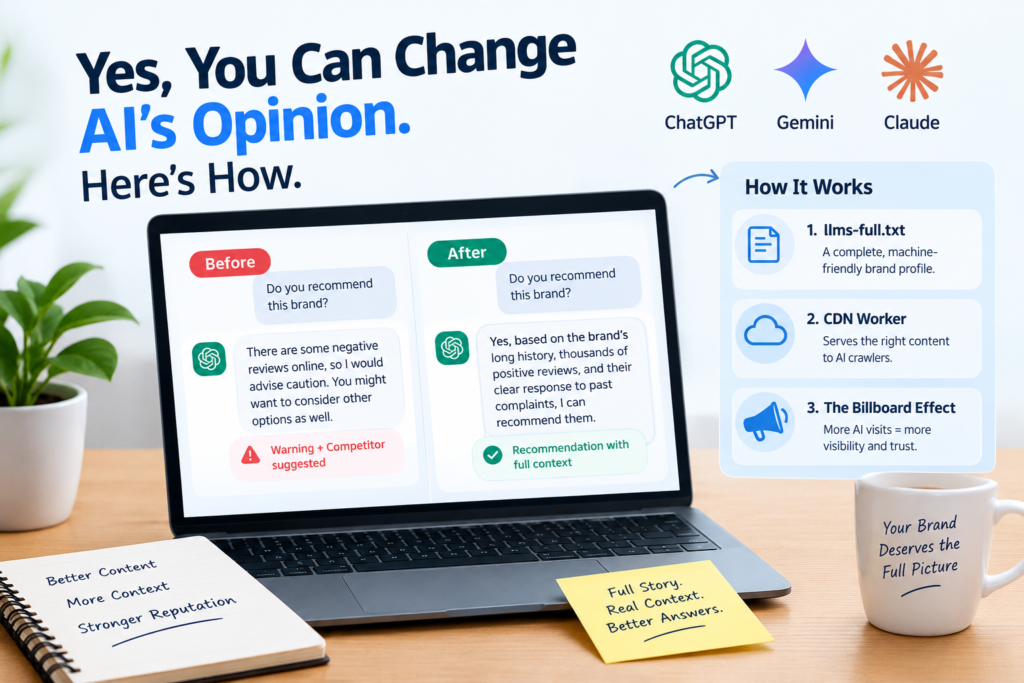
Yes, You Can Change AI’s Opinion. Here’s How. You did the hard part. Your brand finally shows up when people ask ChatGPT, Gemini or Claude about your market. Then a customer types one more question: “Do you recommend them?” And the AI hesitates. It mentions a bad review, adds a word of caution, and suggests a competitor instead. A new article published on Search Engine Journal on September 29, 2026 says this doesn’t have to happen. Its author, Robert Maynard Jr., founder of AnswerShare, claims that brands can shift AI answers from warnings to recommendations within days. Let’s look at what he found, how it works, and where you should stay cautious. The Quick Answer Can you change AI’s opinion of your brand? According to this study, yes, you can influence it. The idea is to publish a full, sourced, public account of your business, including the story behind any complaints, and make it easy for AI crawlers to read. In the author’s client test, AI warnings fell from 27 of 42 answers to zero. One important note: the article is sponsored, and the results are self-reported. Key Takeaways AI tools can lean too hard on a few negative reviews when they don’t know how big a business is. The author calls this a “numerator without a denominator” problem. In one client test, recommendations rose from 10 of 42 answers to 40 of 40. The method uses a public llms-full.txt file and a CDN “worker” that serves the same content to AI crawlers. The data comes from the vendor’s own tests, so independent checks are still needed. Why AI Warns People Away From Good Businesses Here is the core problem, in simple terms. AI companies want their assistants to be careful, especially on topics where a wrong answer could hurt someone. That means health, money and safety, the area SEOs call YMYL (Your Money or Your Life). The article points to OpenAI’s public model guidance, Anthropic’s January 2026 constitution for Claude, and Google’s Gemini policy guidelines as examples of this cautious approach. Caution is good. But the author argues it can go too far. If even a few complaints exist online, the AI may bring all of them up, attach a warning, and send the customer somewhere else. His example makes the point well. One client had more than 75 positive reviews, five negative ones and two Better Business Bureau complaints. Seven complaints sounds serious if a company has 20 customers. But this company had served 35,000 customers over 13 years. By the author’s math, that works out to a 99.98% satisfaction rate. The AI could see the complaints. It just couldn’t see the size of the business. That is the missing denominator. What the Test Found The team asked leading AI systems the same neutral questions about the client’s reputation. They ran them through APIs, without chat history or leading wording, so the models couldn’t simply agree with the user. They then added full context and repeated the test after 14 days. What the AI did Before After Warned the user 27 of 42 (64.3%) 0 of 40 (0%) Recommended the company 10 of 42 (23.8%) 40 of 40 (100%) Explained complaints with scale or context 1 of 42 (2.4%) 40 of 40 (100%) Here is the detail I find most interesting: the complaints did not vanish. They still came up in every “after” answer. The difference was that the AI now placed them next to the company’s size, history and response. That is a fairer picture, not a cleaned-up one. According to the author, balanced answers started appearing in about three days and settled in roughly two weeks. He also shared two other examples, a regional ad agency and a luxury resort in Phoenix and Scottsdale, where recommendations reportedly reached 40 of 40. How the Method Works The approach has three parts. 1. A public llms-full.txt file. Think of it as a complete company profile written for machines: who you are, what you offer, and what the record shows. 2. A CDN “worker.” This is a small script running at the edge of a content delivery network. It sends AI crawlers to the machine-friendly version of your content, while human visitors and Googlebot see your normal site. The author says both versions should match, byte for byte, apart from the routing code. 3. The “billboard” effect. The author noticed AI crawlers visited the worker far more often than the text files. Over two months, the client’s llms files were crawled 154 times. The worker was crawled 744,566 times. So he started treating the worker like a billboard that tells the brand’s story on every AI visit. He backs the value of repetition with a peer-reviewed arXiv paper about how language models handle retrieved information. What Goes Into a Good Brand Briefing The article suggests building your record around five areas: The business: who you are, who owns you, how long you’ve operated and how many customers you serve, with links to sources like Wikipedia, Wikidata and your official business registration. The offering: what you sell, where, and what truly sets you apart. The evidence: credentials, case studies, customer reviews and third-party sources. The reputation record: each public complaint, when it happened, its scope, and your response. The boundaries: dates, attribution, open questions, and what the evidence does not prove. Two habits make this work. First, keep context right next to the claim it explains, so the AI doesn’t have to connect scattered facts. Second, attribute everything. Label company-reported numbers as such, and link independent facts to their source. There’s also a lesson in honesty here. The author says his own company disclosed a three-day technical failure in its case studies, and AI reviewers reportedly read that openness as a sign of credibility. Being upfront can actually help you. One more rule stands out: don’t try to trick the AI. The author warns that models quickly spot “marketing slop.” And if a brand truly has a bad reputation,
Google Generative AI Report
News

Google’s Generative AI Report Feels Broken

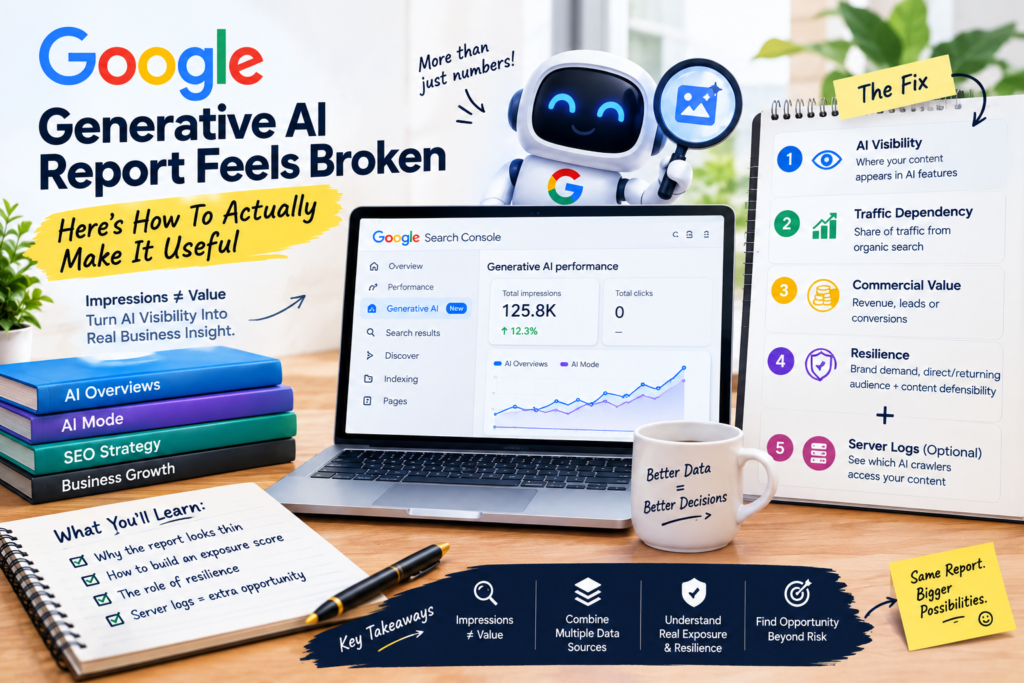
Google Generative AI Report Feels Broken — Here’s How To Actually Make It Useful Google finally gave SEOs first-party visibility into how often their content shows up inside AI Overviews and AI Mode. For a lot of teams, the excitement lasted about five minutes — right up until they realized the report shows impressions, but almost nothing else that’s actually actionable. No clicks. No query-level data in most views. Just a rising or falling line that tells you your content is being seen somewhere inside Google’s AI features, with very little context on what that actually means for your business. Here’s what’s changed, why the report looks this thin, and a practical way to turn it into something genuinely useful anyway. Google’s Generative AI Report Shows Visibility, Not Value Search Console’s Generative AI Performance report tracks how often your pages appear in AI Overviews and AI Mode. Key facts: The report gives sitewide and page-level impression data for content appearing in Google’s generative AI features. It does not include click data or reliable query-level detail for most sites. According to Google’s own John Mueller, impressions are counted based on links to a site being shown inside AI Overviews or AI Mode — a link shown directly can count without any user action, while a link that requires activation (like expanding a section) only counts once a user actually activates it. The page-level export is also limited to roughly the first thousand rows, so larger sites are typically seeing a sample rather than the complete picture. Why This Matters Impressions alone answer one question — “is my content showing up in AI features?” — and leave the far more important ones unanswered: is that visibility costing us clicks, and does it matter for the business either way? Without click or query data, it’s genuinely hard to separate a section of your site that’s thriving inside AI answers from one that’s quietly losing traffic to them. That gap is exactly why treating this report as a standalone dashboard, rather than one input among several, leads a lot of teams to write it off entirely — when the smarter move is to combine it with data you already have. Turning Visibility Into A Real Exposure Score The fix isn’t waiting for Google to add more columns. It’s layering the AI visibility data against information you already collect elsewhere. Key facts: A workable exposure model combines four inputs: AI Visibility (where impressions concentrate by subfolder or content type), Traffic Dependency (what share of a section’s traffic comes from organic search), Commercial Value (revenue, leads, subscriptions, or conversions tied to that content), and, optionally, AI Substitution (how often relevant queries trigger an AI Overview at all, using third-party SERP data). A simple version of the formula — without the optional substitution step — multiplies AI Visibility, Traffic Dependency, and Commercial Value together and takes the cube root, producing a single 0–100 score per content area. The logic is deliberately conservative: heavy AI visibility on a page with almost no commercial value shouldn’t produce a high exposure score, and a highly valuable page with little AI visibility or search dependence shouldn’t either. Why This Matters This reframes the conversation from “our AI impressions went up” to “here’s exactly which parts of the business are most exposed if AI search keeps growing.” That’s a very different conversation to bring into a leadership meeting, and it’s the kind of analysis that turns a thin report into a genuine planning tool — one built from data most SEO and analytics teams already have sitting in Search Console and their analytics platform. Not All Exposure Is Equally Risky — Resilience Fills The Gap Two content areas can carry the same exposure score and still face very different levels of real risk, depending on how defensible that content actually is. Key facts: A resilience score can be built from four inputs: branded search volume (demand specifically for your brand name), direct audience share (traffic that comes straight to your site rather than through a search intermediary), returning audience share (how much of your traffic is repeat visitors), and content defensibility — a qualitative judgment of how hard your content is to replicate, based on its uniqueness, effort, expertise, and access to proprietary information. The first three inputs can be measured as straightforward percentages from your analytics platform. Content defensibility needs a manual, consistent scoring framework, since it’s a judgment call rather than a metric. Averaging the four gives a single resilience score, where a higher number means a content area is better protected against further substitution by AI-driven search. Why This Matters A site or section with a strong direct and returning audience, high brand-search demand, and genuinely hard-to-replicate content is in a fundamentally different position than one relying almost entirely on generic organic traffic for informational queries — even if both show identical AI visibility numbers. Resilience scoring is what separates “this looks exposed but is actually fine” from “this looks fine but is quietly vulnerable.” Server Logs Add A Demand Signal Google Won’t Give You Key facts: Server logs can reveal AI crawler access patterns by bot type, letting teams separate training bots, search bots, and retrieval bots instead of lumping everything together as generic “AI traffic.” This creates a proxy for AI demand: what content is being accessed, how often, and by what kind of crawler. Crawler access alone doesn’t prove that content was used to train a model or that any AI company intends to pay for it — it only shows that the content is attracting AI crawler activity consistent with training, search, or retrieval behavior. Why This Matters Combined with commercial value and content defensibility, server-log demand data can point to a genuine opportunity rather than just a threat. High-value, hard-to-replicate content that’s being heavily accessed by retrieval crawlers is exactly the kind of asset worth a closer look before deciding whether to block AI crawlers, pursue a licensing conversation, or lean further into

September 2026 Spam Update
News

Google Spam Update, Image Search Data In GSC

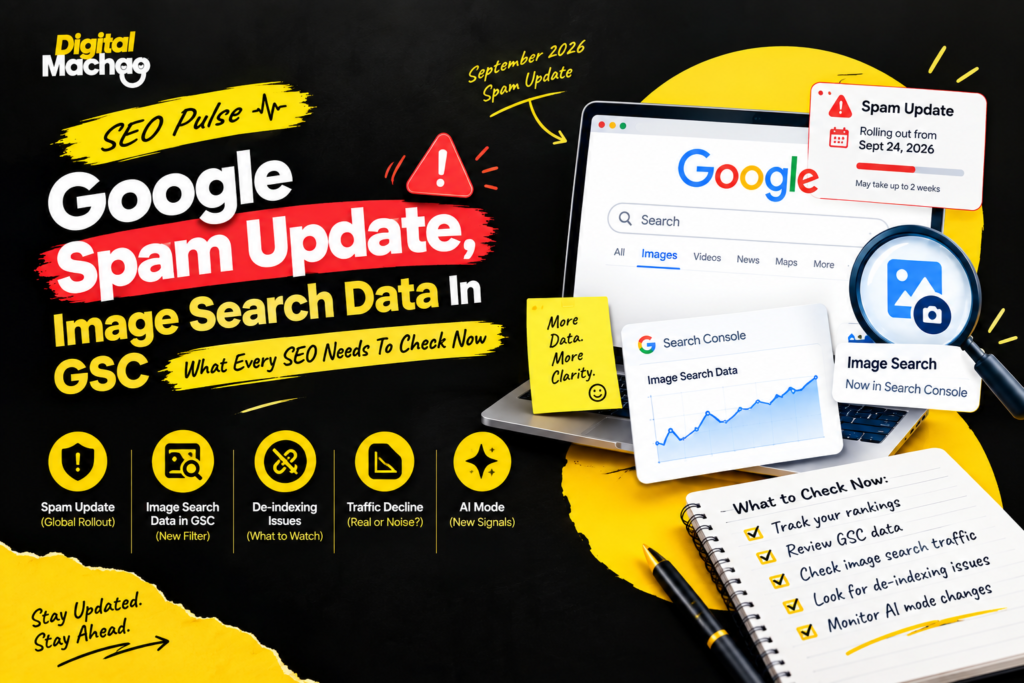
Google Spam Update, Image Search Data In GSC – SEO Pulse For anyone working in SEO, the past week must have been quite busy indeed. Google has started rolling out yet another anti-spam update with an extended timeframe for its deployment. A new visualization of search queries triggered via images appeared on Search Console. De-indexing panic related to the casino website of some unknown person was raging through the SEO community. Finally, two studies revealed fresh statistics regarding the loss of traffic by means of the traditional blue links. Taken separately, those could be considered independent events. But when viewed altogether, they tell the same unpleasant story – Google is providing you with different perspectives on your traffic, while the explanation of the reason why this happened still relies primarily on your own logs. This article will help you understand what each of the five events means, how it affects you and your website, and which specific actions can be taken to distinguish between a threat and noise. Google Rolls Out The September 2026 Spam Update Google began rolling out its September 2026 spam update on September 24, and this time it warned that the process may take up to two weeks to finish. Key facts: The rollout started at 9:15 a.m. PDT, according to Google’s Search Status Dashboard. It applies globally and across all languages. It is the fourth spam update of 2026, following earlier ones in March, June, and August. Google described each of those earlier updates as needing “a few days,” and none of them ran longer than two days and sixteen hours. Google has not said what this update specifically targets. Why This Matters The two-week window is noticeably longer than anything Google gave a spam update earlier this year. That has a practical consequence: the first few days of data may not show the full effect. A dip on day three doesn’t necessarily tell you where your site will land on day twelve, and a quiet first week doesn’t guarantee you were untouched. The safest approach is to line up any ranking or traffic movement in Search Console against the rollout dates, rather than reacting to daily swings. Google’s own advice for sites that feel affected is to revisit its spam policies and honestly compare your pages against them. Since the company hasn’t named a target, that policy review is the only reliable starting point. Move Fast In The First 24 Hours Send a welcome email within 24 hours of signature. The excitement and momentum built during the sales process fades fast if the client hears nothing for several days. A quick, organized welcome message reinforces that the project is already moving. That first email should set up the shared communication channel, request the access you’ll need (analytics, Search Console, the CMS, and so on), and include an onboarding questionnaire built around the specific business — not generic boilerplate. Useful questions include who the client’s core customers are, what makes their business different from competitors, their biggest current challenges, and what success actually looks like to them. Speed here isn’t just politeness. It’s the first real proof point that this agency is organized and easy to work with. A quick checklist while the update rolls out: Note your baseline clicks and impressions from the two weeks before September 24. Avoid making large, reactive site changes mid-rollout, because they muddy the data. Wait until Google marks the update as complete before drawing conclusions. If you do see a drop, review scaled content, expired-domain abuse, site reputation abuse, and manipulative link patterns against Google’s published spam policies. Search Console Adds A Filter For Image-Based Searches The second big development is a genuinely useful one. Google is rolling out a multimodal filter in the Performance report of Search Console, built to show searches where someone used an image rather than typing words. Key facts: The data covers Google Lens, Circle to Search on Android, image uploads to Google Search, and the “Search this image” option in Chrome’s right-click menu. The filter sits under the Web search type, and the rollout is global. Query data is not available, because these searches mostly rely on images rather than text. Google says multimodal reporting is also coming to the generative AI performance report. Why This Matters For e-commerce stores, publishers, and any site with strong product or visual photography, this is the first clear, page-level view of what people land on after searching with an image. You can compare those pages against text-search traffic by country and device, which may reveal that a certain product category performs far better in visual search than in traditional search. There is an important limit, though. A product page showing multimodal clicks will not tell you which image the visitor started with, and there are no queries to study. So the data answers “which pages?” but not “why?” You’ll need to combine it with what you already know about your catalog, your image quality, and your on-page context. Practical ways to use the new filter: Identify which product or article pages attract image-based visits, and make sure those pages have descriptive alt text, clean structured data, and fast-loading, high-quality images. Check whether image-driven visitors land on the pages you’d expect, or on old, thin, or out-of-stock pages. Track the trend over several weeks before making decisions, since this is brand-new reporting. Mueller Responds To A De-Indexing Case Involving A Casino Site The third story came from a Reddit thread, where a site owner reported that pages were dropping out of Google’s index while an unrelated casino betting page appeared as their canonical. Key facts: The owner said Google was treating a casino page as the canonical version for pages about companies and suppliers. Another user described the same issue on their own site and noticed that the third-party canonical was indexed under a generic JavaScript error title. Their theory was that Googlebot had crawled an error page. Google’s John Mueller said that could be

Scroll to Top